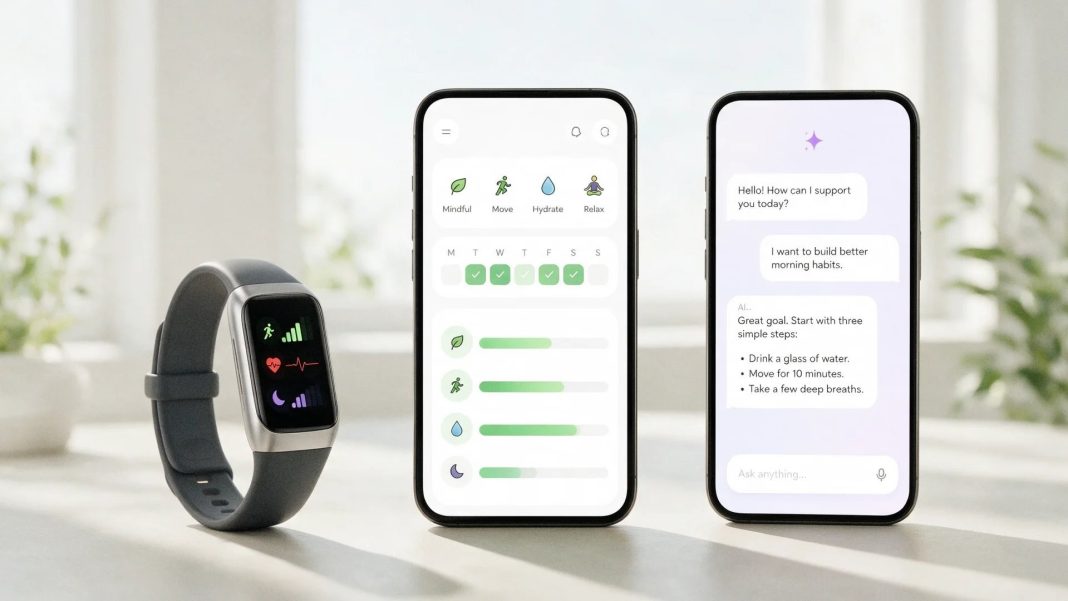

Searching for a wellness app often starts with the wrong question. People look for the one with the most features, the highest rating or the most polished interface, even though none of those things explains whether the app will solve their actual problem. A person who wants to improve sleep needs something different from someone trying to organize medical documents or prepare for a doctor visit. Choosing well begins with defining the task before comparing products.
The range of wellness tools can be easier to understand once their different roles are separated. A useful overview of trackers, coaching apps and AI health assistants is available at https://www.holivita.ai/blog/tracker-coach-or-translator-a-guide-to-the-types-of-wellness-apps-available. These categories sometimes overlap, but they are not interchangeable. An app can be excellent at recording activity and still be poor at explaining health information. Another may offer detailed AI analysis while doing very little to help someone build a new exercise habit.
Start with the problem you want to solve
A wellness app is easier to evaluate when the goal can be stated in one sentence. “I want to improve my health” is too broad to be useful. “I want to understand why my sleep schedule keeps changing” or “I want one place for health notes and medical reports” gives a much clearer direction.
Tracking apps are well suited to goals that involve repeated measurements. They may record steps, workouts, sleep duration, weight or other metrics over time. This is useful when the information itself matters and the user wants to see trends. It is less useful when the main problem is understanding what those trends mean.
Coaching apps are built around behaviour change. They may provide routines, reminders, structured programmes or motivational feedback. A person trying to exercise regularly, meditate or establish a more consistent bedtime may benefit from that structure. The value comes from helping the user act rather than simply showing data.
AI health assistants serve another purpose. They can work with notes, documents and questions, helping users organize information and understand unfamiliar terms. This can be useful when health information is scattered across different sources or when someone wants to prepare a concise history before a medical appointment.
Before installing anything, it helps to decide which of these tasks matters most:
- measuring and tracking habits or body metrics
- building or maintaining a healthier routine
- organizing symptoms and personal health notes
- understanding medical terminology or reports
- preparing information for a healthcare appointment
- keeping records together for later reference
A single app may support several of these functions, but the primary purpose still matters. Features that do not contribute to the main goal can make an app more complicated without making it more useful.
Look at what happens after the data is collected
Many wellness apps are good at gathering information. Fewer are good at helping users make sense of it. A dashboard filled with graphs may look informative while leaving the user with the same questions they had before opening the app.
This difference becomes obvious with sleep tracking. Recording bedtime, wake time and estimated sleep stages can reveal a pattern. It does not necessarily explain why sleep deteriorated during a particular week or whether a change is medically significant. The same is true of activity, heart rate or nutrition data. Measurement and interpretation are separate tasks.
An app should therefore be judged not only by what it collects but by what it allows the user to do with that information. Can previous entries be compared easily? Can notes be searched? Does the system preserve context over time, or does every interaction begin almost from scratch? Can the user create a concise summary rather than scrolling through weeks of raw data?
Context is particularly valuable for recurring health concerns. If someone records headaches for several months, the important information may not be the total number of entries. Dates, associated symptoms, medication changes and other events may matter more. A useful system should make those relationships easier to review.
This is also where simple tools sometimes outperform feature-heavy platforms. A well-designed diary that preserves clear chronological information may be more useful than an application collecting dozens of measurements that the user never revisits.
Decide how much work you are willing to do
Every app asks something from the user. Some collect data automatically through a phone or wearable device. Others depend on manual entries, questionnaires or regular interaction. An app that demands too much effort can become useless regardless of how sophisticated its features are.
Manual tracking works best when entries are quick and the purpose is clear. Writing a short note about a recurring symptom may take less than a minute and provide useful context later. Completing a lengthy questionnaire several times a day is harder to maintain unless there is a strong reason to do it.
Automation has its own trade-offs. It reduces effort but can produce large amounts of information that may or may not be relevant. More data is not automatically better data. The practical question is whether the information helps the user make a decision, observe a useful pattern or communicate more clearly with a professional.
It is worth thinking about the app after the novelty has worn off. Will the main features still be useful in three months? Does the system become more valuable as it accumulates context, or does it mainly provide short-term engagement through reminders and streaks? Sustainable use matters more than an impressive first week.
A realistic evaluation should include ordinary daily life. The best app is not the one a person could use perfectly under ideal conditions. It is the one they are likely to continue using without feeling that health tracking has become another demanding task.
Privacy should be part of the comparison
A wellness app may know far more about its user than an ordinary productivity tool. Sleep patterns, symptoms, medication notes and medical documents can reveal highly personal information. That makes privacy a practical selection criterion rather than a legal detail hidden at the bottom of a website.
Users should understand what information is collected and why. If an app requests access to contacts, location, microphone or other phone functions, the reason should be clear. Permissions that seem unrelated to the service deserve scrutiny. The same applies to sharing information with advertising, analytics or other third parties.
Before creating an account, it is worth checking a few points:
- what health and personal data the app stores
- whether information is encrypted during transfer and storage
- which third parties may receive data
- whether data is used for advertising or unrelated purposes
- whether users can export their information
- whether an account and its stored data can be deleted
Privacy policies can be long, but the basic answers should not be difficult to find. If a company cannot explain what happens to sensitive health information in understandable language, that is relevant to the decision.
Data portability matters as well. A personal record becomes more valuable over time, which can make users reluctant to leave an app even if the service no longer suits them. The ability to export information reduces that dependency and keeps the user in control of their own history.
Be cautious with promises that exceed the product’s role
Health and wellness are attractive areas for exaggerated claims. An app may imply that it can optimize health, detect hidden problems or provide highly personalized answers from limited information. The more serious the claim, the more important it is to ask what evidence and context support it.
A tracker can show that a measurement changed. That does not automatically reveal why. A coaching app can encourage healthier habits, but it cannot assume that every symptom results from lifestyle. An AI assistant can explain information and help organize records, but it should not present itself as a replacement for clinical assessment.
Clear limits are a positive sign. A product that explains what it can and cannot do is easier to use responsibly than one that blurs the line between wellness support and medical care. This matters particularly when people are using an app because they are worried about symptoms rather than simply tracking a routine.
The same caution applies to personalized recommendations. Advice based on age, activity or user-entered information may still lack medical history, examination findings or laboratory context. When a decision could affect treatment or delay care, professional input remains important.
Choose usefulness over the number of features
It is easy to compare wellness apps by counting capabilities. One product has twelve dashboards, another connects to several devices, and a third offers AI conversations and document analysis. The feature list can become so long that the original reason for choosing an app disappears.
A better comparison starts with three questions. Does the tool solve the problem you actually have? Is it easy enough to use consistently? Are you comfortable with how it handles your information? If the answer to one of these is no, extra features are unlikely to compensate.
It is also reasonable to use more than one tool. A fitness tracker may be excellent for activity data while a separate health assistant is better for notes and medical documents. Trying to force one application to manage every aspect of health can produce more complexity than convenience.
The strongest wellness tools usually have a clear role. They collect information that serves a purpose, help users retrieve or understand it, and make their limits visible. Choosing on that basis is more reliable than downloading a succession of highly rated apps and hoping that one eventually feels right.